The Website Migration Checklist: How to Switch Platforms Without Losing Your SEO
Website Migration
SEO
Replatforming
AEO
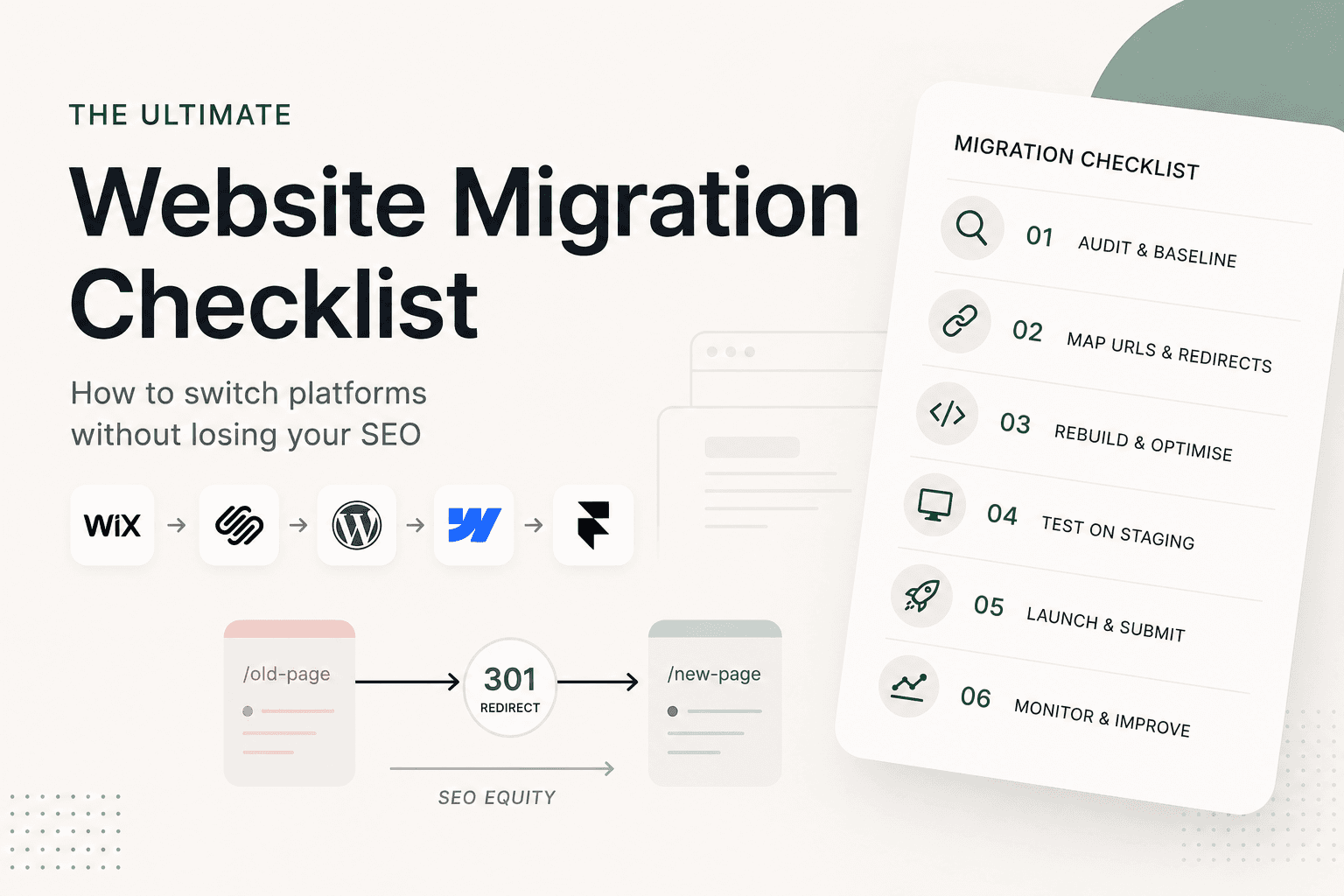
Replatforming Is Exciting. It's Also Where SEO Quietly Dies.
Moving to a faster, better-looking platform is one of the best things you can do for your brand. It's also where hard-won search rankings tend to disappear without anyone noticing until the traffic reports come in.
The data is blunt: poorly managed migrations can lose 40–60% of organic traffic, and only about 1 in 10 migrations actually improve SEO. But the other outcome is just as real - done properly, a migration is a rare chance to come out faster, cleaner and more visible than before. The difference comes down to planning, not luck.
Here's the high-level checklist we use at Studio Vora to move sites between Wix, Squarespace, Webflow, WordPress and Framer without losing what they've already built.
First, Know What Kind of Migration You're Doing
Not every migration carries the same risk. Most are one (or several) of these:
Platform / CMS change: Wix → Framer, Squarespace → Webflow, WordPress → anything. The back end and usually the design change.
Redesign: a new look on the same URLs.
URL restructure: changing your slugs or folder structure.
Domain change / rebrand: a brand-new domain. The highest-risk move of all.
The risk multiplies when you stack them. The single biggest predictor of a failed migration is doing everything at once - new platform and new design and new URLs and new domain. If you can, keep your domain and change one major thing at a time.
Why Migrations Go Wrong (It's Almost Always the Same Reason)
Redirects. Or rather, the lack of them.
Every page on your site has earned value - rankings, backlinks, and the trust Google has built up over years. That value is tied to the page's exact URL. Change the URL without telling search engines where the page went, and the value evaporates into a 404.
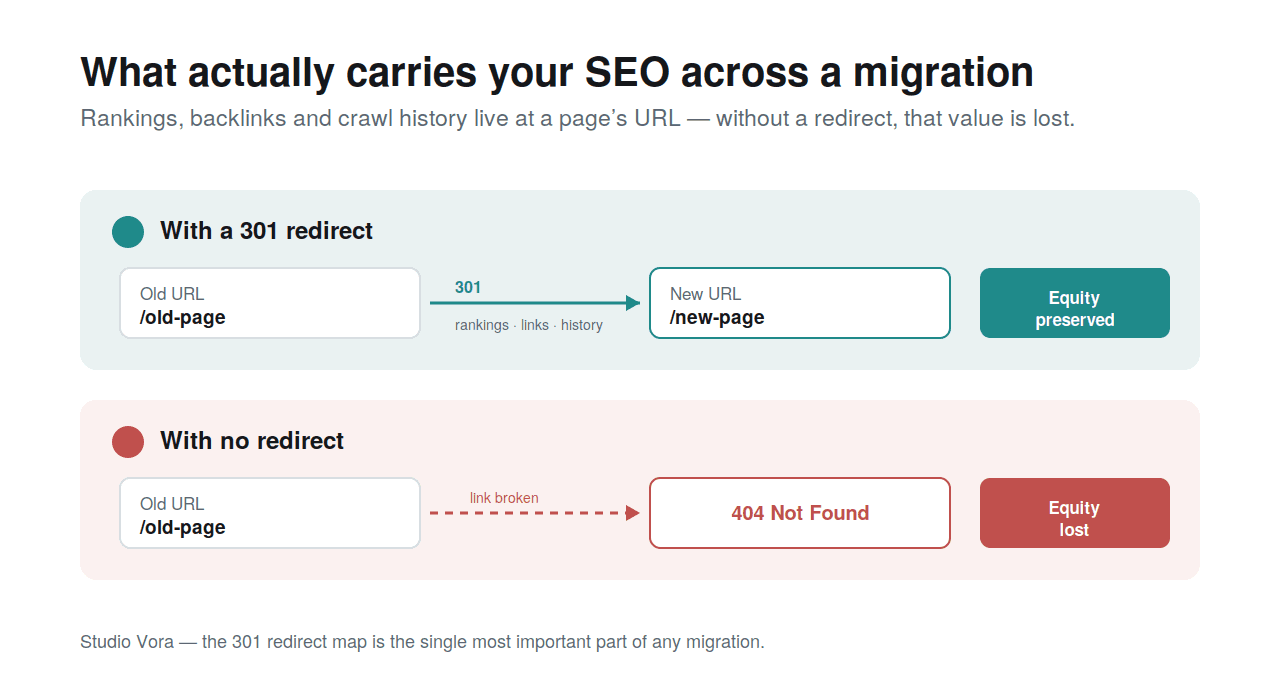
A 301 redirect is what carries a page's SEO equity from its old URL to its new one. Skip it, and that equity is lost.
A 301 redirect is the "we've moved" sign that passes that equity to the new address. Get the redirect map right and a migration is safe. Skip it, and no amount of beautiful design will save your traffic.
Before You Touch Anything: The Pre-Migration Audit
You can't protect what you haven't measured. Before any building starts:
Crawl the entire current site with Screaming Frog or Sitebulb. Export every URL, page title, meta description, H1 and image alt text.
Record your baseline in Google Search Console: which pages and keywords actually drive traffic. These are the pages you protect at all costs.
Audit your backlinks (Ahrefs, Semrush). Any page other sites link to must keep its URL or get a redirect.
Inventory the hidden stuff: gated PDFs, landing pages not in your menu, old blog posts. Orphan URLs are the ones that get missed.
Mapping URLs and Redirects: The Heart of It
This is the part that actually protects your rankings:
Map every old URL to exactly one new URL: never one-to-many.
Use permanent 301 redirects, pointing straight to the final destination (no chains of redirect-to-redirect).
Keep the slugs that already rank. Don't change a URL just because you can: change it only when there's a real reason, like a rebrand or a genuinely messy old structure. Every URL you preserve is one you don't have to redirect.
Use wildcards for patterns, for example, sending every
/post/...blog URL to/blog/...in a single rule.
Don't Forget the Things That Silently Break
Redirects get all the attention, but these quietly sink migrations too:
Metadata: titles and descriptions don't carry over automatically. Transfer them deliberately.
Internal links: update them to the new URLs so you're not bouncing visitors through redirects.
Analytics & tracking: reuse the same GA4 property and re-verify Search Console; tracking tags are routinely lost at launch.
Email (MX) records: if your domain handles email, changing DNS can knock it out. Save those records before you touch anything.
Structured data: JSON-LD usually has to be rebuilt on the new platform from scratch.
Test on Staging Before You Flip the Switch
Never launch blind. On the staging site: crawl it and check it against your URL map, run PageSpeed Insights (especially on mobile), test every form and confirm leads still flow to your CRM, check analytics is firing and make absolutely sure the staging site is set to noindex so Google doesn't accidentally index it.
Launch Day and the First Two Weeks
Point your domain at the new platform, then immediately re-verify Google Search Console (platform verification usually breaks at cutover), submit your new sitemap, and watch the indexing and 404 reports daily.
Expect a wobble. Google needs roughly 4 to 6 weeks to recrawl and re-trust a migrated site, so a short dip is normal - don't panic and start changing things. Just fix any 404s the moment they appear.
The Real Opportunity: Migrate for AI, Not Just Google
Here's the part most checklists miss in 2026. A migration is the perfect moment to make your site AI-ready because you're rebuilding the structure anyway.
Adding clean JSON-LD structured data and a clear "what we are" statement means AI engines like ChatGPT, Perplexity and Google's AI Overviews can understand and recommend you, not just rank you. (We dug into exactly how that works in AEO: Why AI Readiness Is the Next Frontier for Your Website.) Migrate for SEO and AEO in one move, and you don't just preserve your visibility - you expand it.
The High-Level Checklist
The quick version, worth screenshotting:
Decide what's changing and change as little as possible at once
Crawl and export the current site (URLs, metadata, alt text)
Record baseline rankings and traffic
Map every old URL → new URL with 301 redirects
Keep the slugs that already rank
Rebuild metadata, internal links and JSON-LD
Preserve your MX / email records
Test everything on staging (and noindex it)
Launch, re-verify analytics, submit the sitemap
Monitor 404s and rankings for 14 days
Frequently Asked Questions
Will I lose my Google rankings if I change platforms?
Not if it's done properly. With 301 redirects and preserved metadata, your SEO equity transfers to the new URLs. Expect a temporary dip while Google recrawls - usually a few weeks - not a permanent loss.
How long until traffic recovers after a migration?
Typically 4–6 weeks for Google to fully recrawl and re-trust the new site. Smaller sites usually bounce back faster.
Do I have to change my domain?
No and you shouldn't, unless you're rebranding. Keeping the same domain is the single easiest way to reduce migration risk.
What tools do I need to migrate a website?
Screaming Frog or Sitebulb to crawl the site, Google Search Console and GA4 for your baseline and monitoring, Ahrefs or Semrush for backlinks and rankings, a schema validator, and a bulk redirect checker.
Planning a move to Framer, Webflow or WordPress? Studio Vora handles migrations end to end - without losing what you've already built. Get in touch.